Apr 27, 2008

Get iPhone Filesystem via SSH

The following code snippet shows you how to get the iphone filesystem via SSH. The file system will be put at /usr/local/share/iphone-filesystem

mkdir -p /usr/local/share/iphone-filesystem
cd /usr/local/share/iphone-filesystem
mkdir -p ./System/Library ./usr
scp -r root@[iphone_ip]:/System/Library/Frameworks .
mv Frameworks ./System/Library
scp -r root@[iphone_ip]:/usr/lib .
mv lib ./usr

Apr 15, 2008

Software Domain for Career Development - Business Software

If you have not seen the list of software domain, find in my previous post
In this post, I'm going to show the roadmap, for involving into Business Software development.

As in Business Software domain, there may have many way for you to go, such as an ERP system, HRM system, CRM system, the system here is mostly to support the business process in an Enterprise.

Some hot applications today can be listed out here are
  • SAP: this is an all in one business solution for ERP includes Finance, Human Resource, Project Management, Training, Employee Portal...
  • SharePoint: this is an enterprise portal developed by Microsoft and its provide many functionalities such as Enterprise Portal, Document Management, Records Center, Content Management System...
  • Microsoft Dynamics AX: this is a Business application of Microsoft
  • BizTalk: this is a bridge for connecting LOB application developed by Microsoft
  • Surgar CRM: an open-source Customer Relationship Management system
  • Oracle
For this domain, I think we should not develop a new one but study some existing, because they've developed for long times and DO YOU WANT TO RE-INVENT the same thing?

The three important applications I think you could focus is SAP, SharePoint, BizTalk
  1. SAP: to get involve with SAP, you should have some basic knowledge in a specified business domain such as Finance, Human Resource, Projects...If you want to involve into the Basis core of the SAP, you should have following knowledge
    • J2EE
    • Web Application
    • Basic ABAP
    • Database such as MSSQL, DB2,...
    • OS: Windows Server, Linux
  2. SharePoint: the SharePoint is rather simpler than SAP, but you should familiar with Microsoft Technologies such as
    • .NET 2.0, Web Parts, Workflow
    • Web Services
    • Microsoft SQL Server
    • Some SharePoint techs: Sites, Lists, Contents...
    • Excel Services
    • Forms Server
    • Microsoft SQL Server Reporting Services
    • Windows Server
  3. BizTalk: this is a integration solution from Microsoft, allows you to integrate your LOBs together. You should know
    • Database techs: MSSQL, DB2, Oracle...
    • Web Services
    • .NET 2.0
    • Workflow
Correct me if something wrong :-)

Software Domain for Career Development

For three years working in Global CyberSoft, I've recognized some software domains for developing. And here are some software domains for your career development plan

  1. Business software: this type of software is related to business domain such as accounting, docketing, ERP, CRM..., for who want to write management application such as ERP, Human Resource Management.
  2. Analytics: related to data mining, data processing, decision support system. This domain is for who want to dig more in Database, Data Mining, and AI
  3. Airline reservations: this related to Air Port and the system to manage airline reservation. For who loves Communication + Web + Database
  4. Banking: related to banking system such as Credit Card, ATM, Online Banking. Those who is interested in banking related system, and should have the secure software mindset
  5. Commerce: some examples are Trade, Auctions, Bar code scanner. For those who is interested in E-Commerce technology
  6. Compilers: Dig through the compiler such as Parser, Generation, Linker, Loader
  7. Communication: some such as e-mail, IM, VOIP, Contact Management, suitable for who loves IP technology
  8. Computer graphics: Animation, Special Effect, Image Editing...
  9. Cryptography: RSA, DSA, Secure Key...
  10. Databases
  11. Embedded systems: Automotive, Telephony, Medical Device Software, Mobile
  12. Engineering: Computer Aid Design, Electronic Design Automation, Simulation
  13. File: related to file such as File sharing, File synchronization, FTP
  14. Finance: Stock market
  15. Games
  16. Information systems: System to manage information such as Personnel Data,
  17. Logistics: Supply Chain Management, related to Factory Automation
  18. Manufacturing: CAM
  19. Music
  20. Network Management
  21. Networks and Internet: some related to DNS, Protocols, Router.
  22. Office suites: Word, Spreadsheet, Presentation
  23. Operating systems
  24. Robotics
  25. Signal processing: Image Processing, Speech Processing, Text Recognition
  26. Simulation
  27. Sciences
  28. Traffic Control
  29. Training
  30. Visualization
  31. Voting
  32. World wide web: Web Browser, Web Server
  33. Healthcare

So which domain you would like to join?

Missed something? Fix me.

Apr 1, 2008

Global CyberSoft PM Forum 2008

Global CyberSoft PM Forum 2008

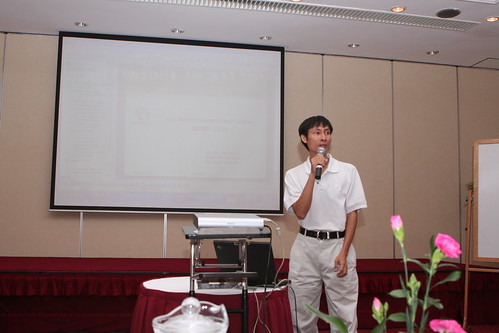
If you have chance to join the forum, it's so interesting. Here, we share our knowledge and experiences on project management, in order to develop ourself. This year, we have done many things to improve Global CyberSoft. And the year 2008 should be so :-)

Here are some pictures

All people who has attended the seminar
IMG_4537


Mr. An Cao
IMG_1221


Mr. Vien Nguyen
IMG_4531


Mr. Vu Tran
IMG_4529


Mr. Quynh Nguyen
IMG_1184


Mr. Toan Ngo
IMG_4525


Our CEO, mr. Chi Ngo
IMG_4521

See you on 2009 PM Forum :-)

Mar 4, 2008

Global CyberSoft Japan blog

Global CyberSoft Japan Blog

Finally anh Dong has created a blog for Global CyberSoft Japan. See it here http://gcsjp.blogspot.com/

Feb 19, 2008

Blogs and Global CyberSoft?

Chúng ta đã chứng kiến sự phát triển rầm rộ của những công ty chuyên về blog như Yahoo (Y! 360), Google (Blogger), Microsoft (Live)…chúng ta cũng đã thấy được sự phát triển của blog trong môi trường doanh nghiệp như là Microsoft, IBM, Sun đã làm…

Blog phần nào đó giúp ích cho sự phát triển của doanh nghiệp

Blogs giúpcho

  • Nâng cao hiệu năng làm việc nhóm, thông tin đến 1 cách real-time
  • Nâng cao khả năng sáng tạo và ý tưởng mới
  • Giúp cho việc chia sẽ kiến thức trong công ty
  • Marketing & PR
  • Chia sẽ chiến lược của công ty tới anh em
  • Kênh thông tin của anh em
  • và rất là nhiều nữa

Như ta đã thấy

Ideas and comments are welcome.

Feb 18, 2008

iPhone Jailbreak (1.1.1 & 1.1.2)

Firmware 1.1.1

  • Slide the slider to the right to execute the Emergency Calling
  • Dial *#307# and select Call. iPhone will display a receiving call, clear the entered number using the X button (in the top right) and the press 0, and Call button. iPhone will receive a call number 1, select Answer, Hold, and then Decline.
  • Now you are in the Keypad of the iPhone, select Contact to see All Contact screen.
  • In the All Contact screen, press + (on the top-right) to Add contact. In the box First Last, enter what ever you want for the name of the contact. Select the box Add new URL and enter prefs: for the URL, Save and then select Add new URL again to enter new url, this time, enter http://jailbreakme.com and the Save the contact.
  • Then in the contact screen, select the prefs: to go into the Settings of iPhone.
  • Select General -> Auto-Lock -> Never
  • Then back to the Settings creen, select Wifi to connect Wifi for the iPhone. After all, press the Home button to exit.
  • Now you are in the Activate iPhone screen, move the slide to go into Emergency Call, press 0 -> Call, Answer, Hold, Decline.
  • Select the contact and click on the url http://jailbreakme.com to open jailbreakme.com website, scroll down to the end of the page, select Install AppSnapp?
  • You will be back to Activate iPhone, use the Emergency Call to go back into the Contact screen of iPhone, if you see the downloading progress bar, you are successfully. BTW, wait for a minute to download the AppSnapp?. If not, try again until success. After all, the iPhone will automaticall restart and now you are at the Springboard of the iPhone.
  • Your iPhone has been unlock with Firmware 1.1.1

Firmware 1.1.2

In summary we will go through following step
  • Downgrade to 1.1.1
  • Jailbreak 1.1.1
  • Upgrade to 1.1.2
  • Jailbreak 1.1.2


Prerequisite


Downgrade to Firmware 1.1.1

  • Connect the iPhone with PC, hold the Power (the top right button) and Home (central button) at the same time until the iPhone screen turn off, continue holding those button until the iPhone screen turn on and then release the Power button but continue holding Home button until iTunes recognize the iPhone is in the Recovery Mode.
  • Hold Shift and click into the Restore button in iTunes, and then select the Firmware 1.1.1 which you have downloaded before. Wait until iTunes restore the iPhone and then it display the error messsage like 'Error 1015', click OK and then another message is displayed, keep click OK. After all, turn off iTunes but still plug the cable in.
  • Open Task Manager and end the process iTunesHelper.exe
  • Unzip iBrickrs0.9 which you have downloaded before and execute the iBrickr.exe. Select Boot the Phone in the iBrickr window. At this time, the iPhone screen will display in red color, leave it alone and then the iPhone will reboot. This time, iPhone will display the Activate screen, turn off iBrickr and un-plug the cable.
  • Your iPhone has been downgraded to Firmware 1.1.1


Jailbreak Firmware 1.1.1

Follow the step at Firmware 1.1.1


Upgrade to Firmware 1.1.2

  • After Jailbreak firmware 1.1.1, on the Springboard of iPhone select Installer, select tab Install, select Tweak (1.1.1) -> Oktogrep and press Install to install it. After the installation finished, press OK button, press Home button to exit the Installer and wait for about 10 seconds. Restart your iPhone by press and hold the Power button and then move the Slider to turn off. Restart iPhone, connect the iPhone with PC and execute iTunes
  • On iTunes, after it recognized iPhone, hold Shift and click the Update button, select the Firmware 1.1.2 which you have downloaded before to update. After the Update finished, close iTunes and unplug the cable from the PC and then re-plug the cable to the PC.
  • Your iPhone has been upgraded to Firmware 1.1.2


Jailbreak 1.1.2

  • Unzip the Jailbreak 1.1.2, and execute the windows.bat (you must have Java installed). The 1.1.2 Jailbreak window appears, check the Install SSH, and enter root password is alpine. Then click the Jailbreak button. After the jailbreak finished, your iPhone will automatically reboot and you can get into the Springboard of iPhone.
  • Your iPhone has been jailbreak with firmware 1.1.2 but without Phone and SMS function.